How to set up Figma MCP with Claude Code (and design before you build)
How to set up Figma MCP with Claude Code is a playbook on connecting Claude Code to Figma, having Claude design a screen in Figma before any code exists, fixing the design there, and then building the code from the finished frame.
I don't let Claude write UI code first anymore. I have it design the screen in Figma, fix what I don't like there, and only then ask it to build. Changing a frame is quicker than changing code that's already wired up, and I'm reviewing a picture instead of a diff. It helps a lot.
Here's the setup and the whole loop, run for real for this guide on a made-up habit app called Streak.
What you need
- Claude Code.
- A Figma account. Your seat decides how much Claude can read from Figma, so check the limits below first.
- A Figma design file for Claude to work in. A new page in an existing file is fine.
Set it up
- 01
Install Figma's plugin from Anthropic's official marketplace:
claude plugin install figma@claude-plugins-official - 02
If Claude Code is running, restart it.
- 03
Type
/plugin, open the Installed tab, selectfigmaand press Enter twice to sign in. - 04
Click Allow access in the browser that opens. Back in Claude Code, run
/pluginagain: figma should show as connected.
The plugin also installs Figma's skills, which teach Claude how to work with Figma reliably. That matters most when it writes to the canvas.
1. Ask Claude to design the screen
Give Claude a link to your Figma file and describe the screen. I asked for the main screen of Streak: today's date, the current streak with this week's days, a list of habits with a check for each, and a button to check in the next one. It's an iPhone app, so I asked for SF Pro and iOS sizes.
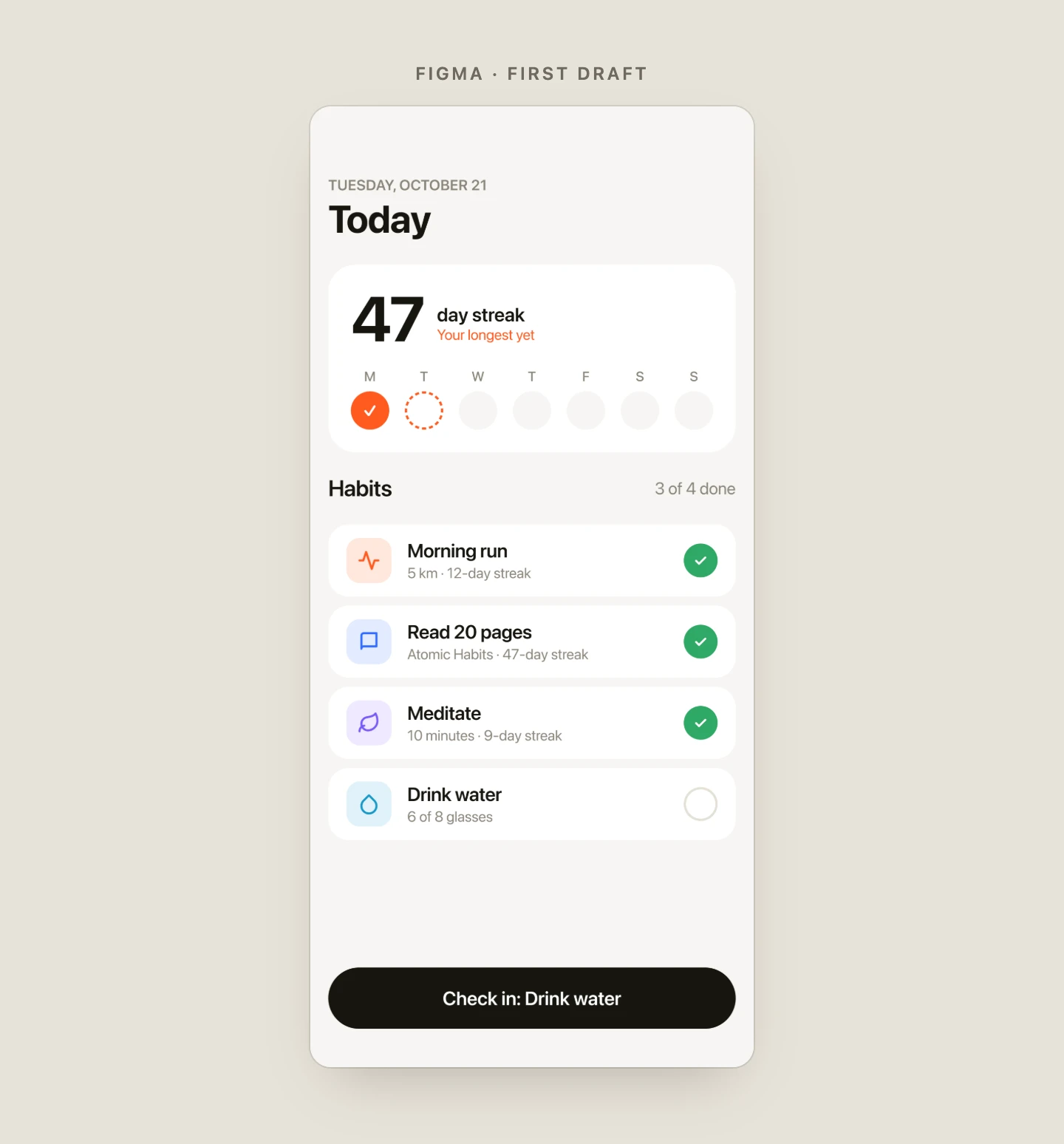
It built the screen on a new page with auto layout and a reusable Habit row component, used four times. Everything is real Figma: every text, frame and component can be edited. It was also forgettable: clean cards, soft colors, the same screen as every other habit app.
2. Fix it in Figma, not in code
This is the step that saves the time. Changing the whole direction of a screen is one sentence while it's still a design. I asked for something bold and editorial: a huge condensed number, ruled lines like a newspaper, a numbered list instead of cards, and one strong accent color.
Then two small notes: the space next to the number was empty, and the habit names didn't line up because the numbers 01 to 04 have different widths. Claude added a column of stats beside the number and gave the numbers a fixed-width column.
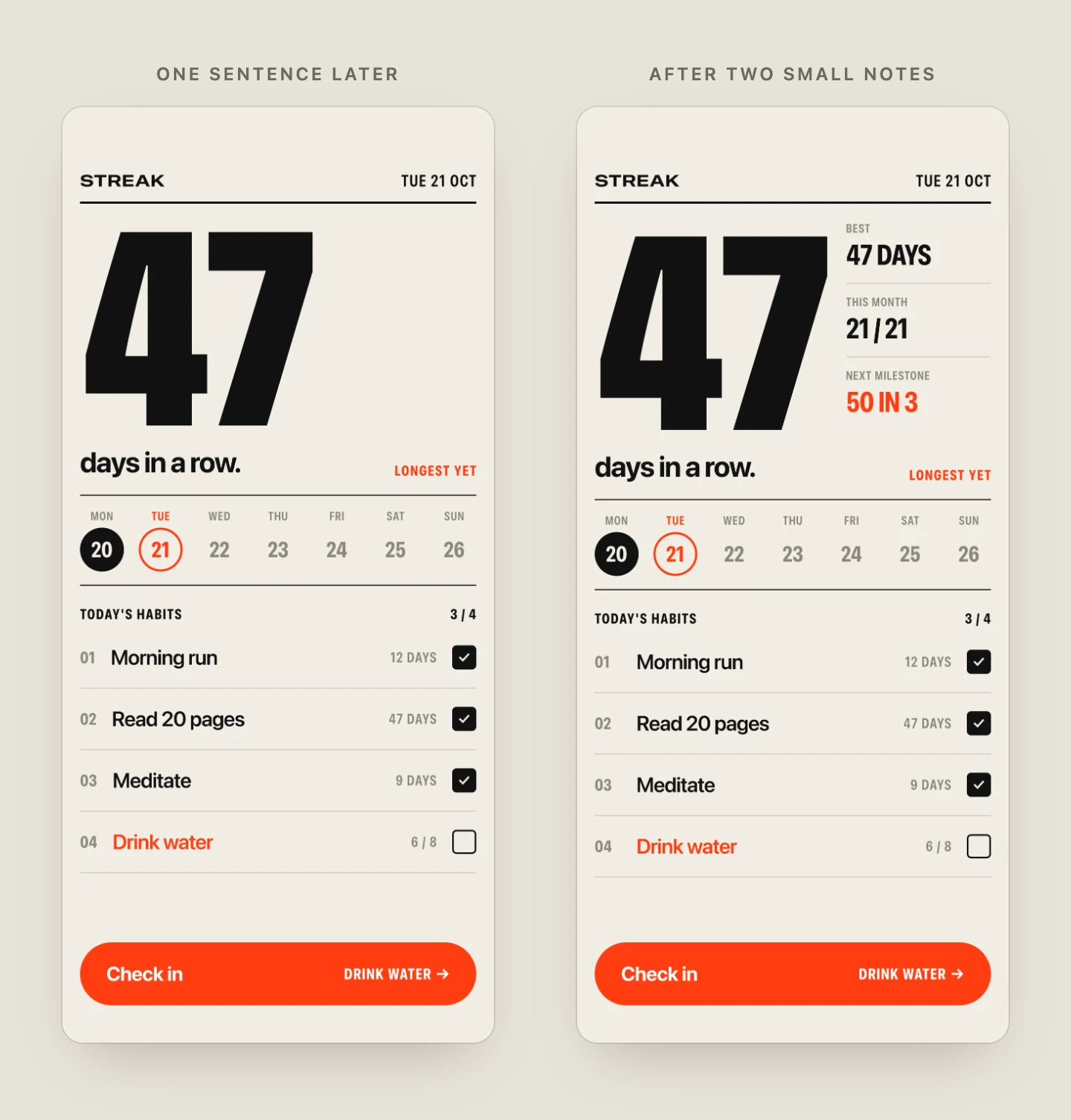
You can also fix things yourself in Figma. When you ask Claude to build, it reads the frame as it is right then.
3. Build from the frame
Right-click the frame, choose Copy link to selection, and ask Claude to build it. It reads the frame's layout, colors and text, downloads the icons, and writes the code.
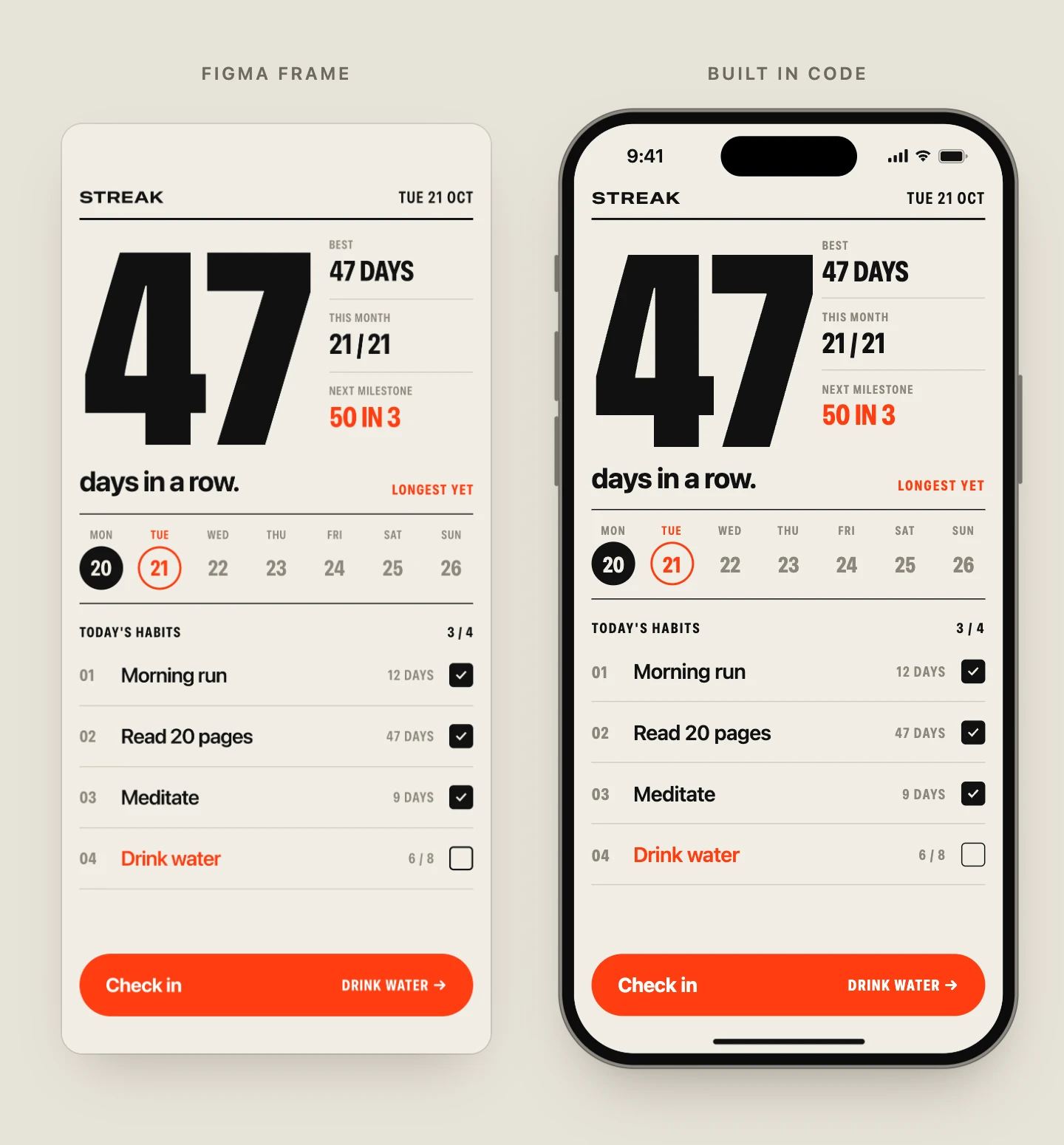
The built screen matched the frame closely, down to the font widths, and it works: tapping a habit checks it off, and the button checks in the next one. Try the built page (it uses SF Pro, so it looks best on Apple devices).
If you hit the limit
Building from the frame failed the first time with: "You've reached the Figma MCP tool call limit for your Full seat on the Professional plan." It was the 10-reads-a-minute limit, not the daily one. Waiting a minute and asking again worked.
Questions
Is the Figma MCP server free?
Reading designs is included with your Figma seat, within the limits above. Writing to the canvas is free during the beta, and Figma plans to make it a paid, usage-based feature.
How do I connect Figma to Claude Code?
Install Figma's plugin, restart Claude Code, then sign in from /plugin:
claude plugin install figma@claude-plugins-officialCan Claude edit my existing Figma designs?
Yes. With the remote Figma MCP server it can create and change frames, components, variables and auto layout in files you can edit.
Does it work with Cursor or Codex?
Yes. In Cursor, run /add-plugin figma in the agent chat. Other tools can add the server by its address, https://mcp.figma.com/mcp.